# SMTP Settings
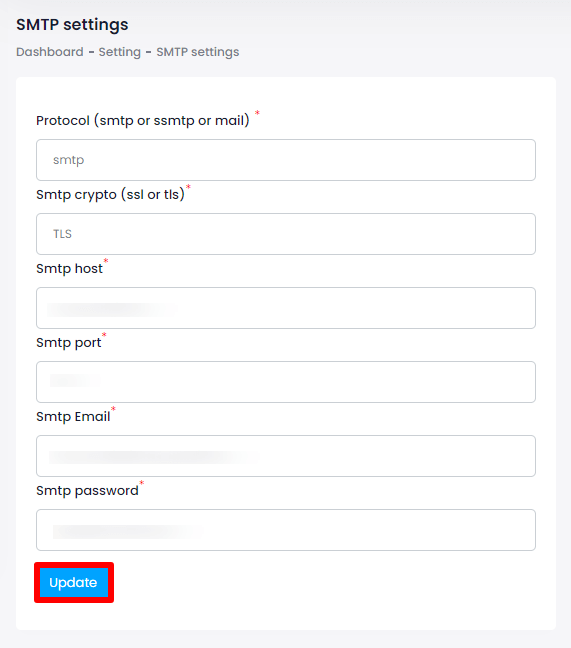
SMTP means "Simple Mail Transfer Protocol". These are the settings for your outgoing mail server. Emails sent and received between senders and recipients can be managed with the use of SMTP settings. It only takes a few clicks to change this setting. The steps listed below can be used to configure the SMTP settings:
Login as Admin
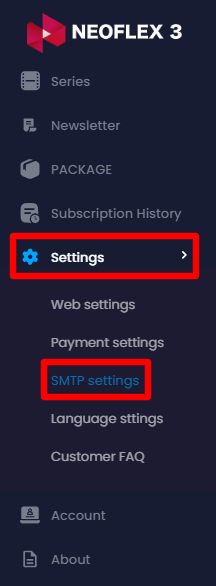
Select the "Settings" button from the left menu
Choose "SMTP settings" from the sub-menu
Here you can modify:
SMTP Protocol
SMTP Crypto
SMTP Host Address
SMTP Port
SMTP Email Address &
SMTP Password
Then click on the "Update" button to save the information.