# About
You can visit the "About" section of your settings to learn more about your application. Here, you can get all the information about your application's support option. The below steps might be helpful:
Login as Admin
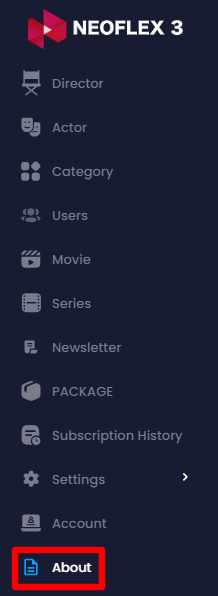
Select the "About" option from the left menu
Here you can:
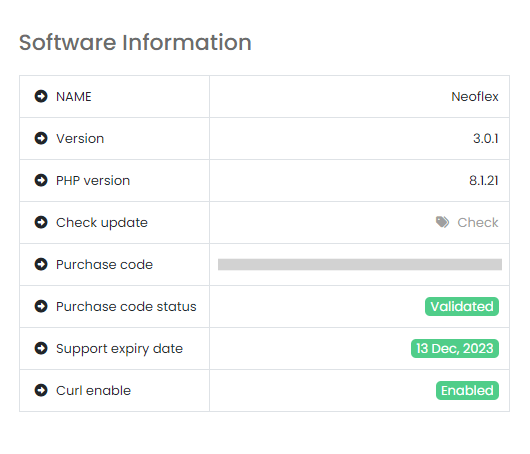
View your Software's name
Check your Software's current version
Be aware of your current PHP version
Find the updated version by clicking on the "Check update" phrase. (If a new version is available)
See the application purchase code.
See the Purchase Code Status
See customer support expiry date &
View if the Curl is Enabled or not