# How to Manage Return Requests
In the Elevate Admin Panel, managing Order Return Requests is quick and simple. Admins can review, approve, or reject requests, track return status, and ensure smooth refunds, building customer trust through fast, transparent, and reliable service.
-
Log in to the Admin panel and open the Dashboard.
-
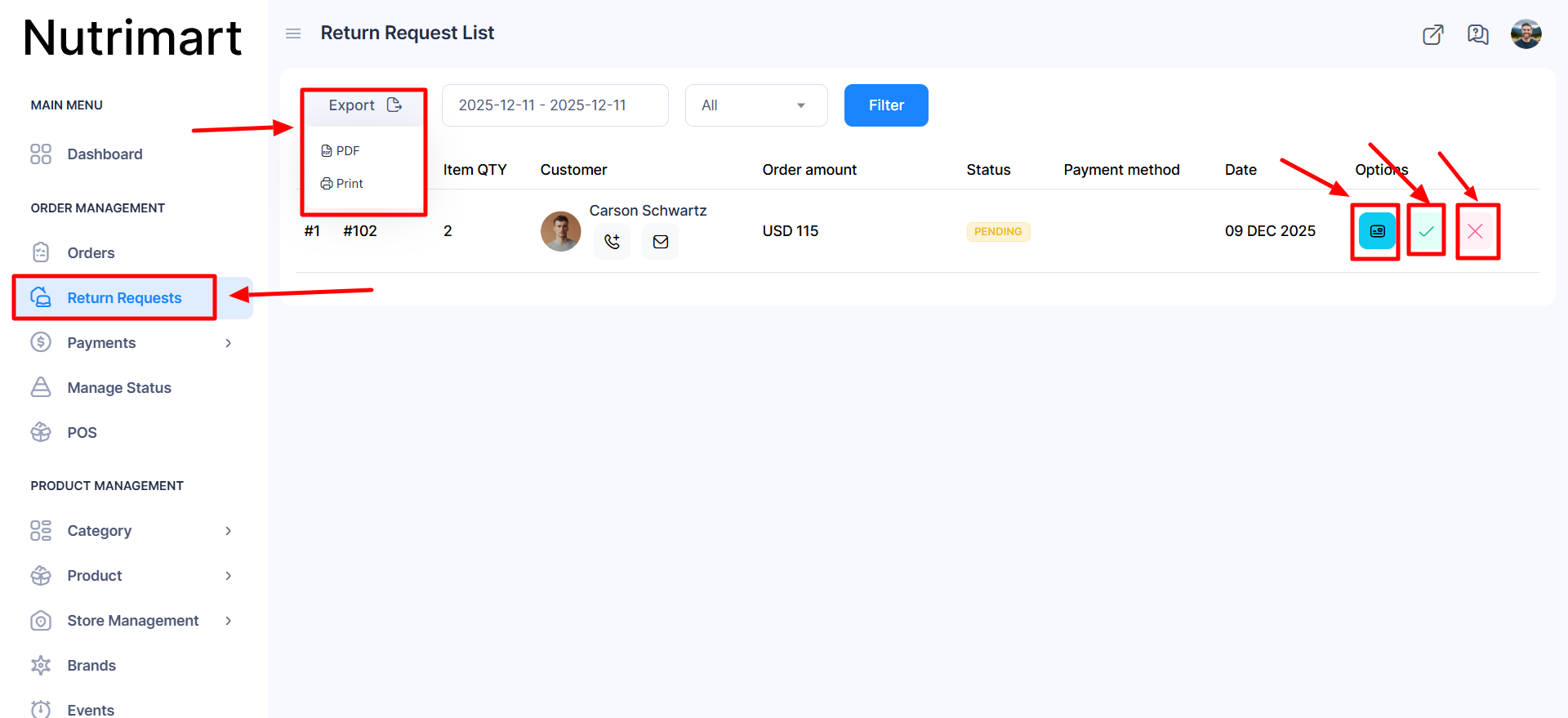
Navigate to Return Request from the left menu, and a new window will appear.
-
If you click the Export button, a new window opens with PDF and Print.
-
If you click the PDF button, the displayed list will be automatically downloaded.
-
If you click the Print button, the displayed list is automatically printed.
-
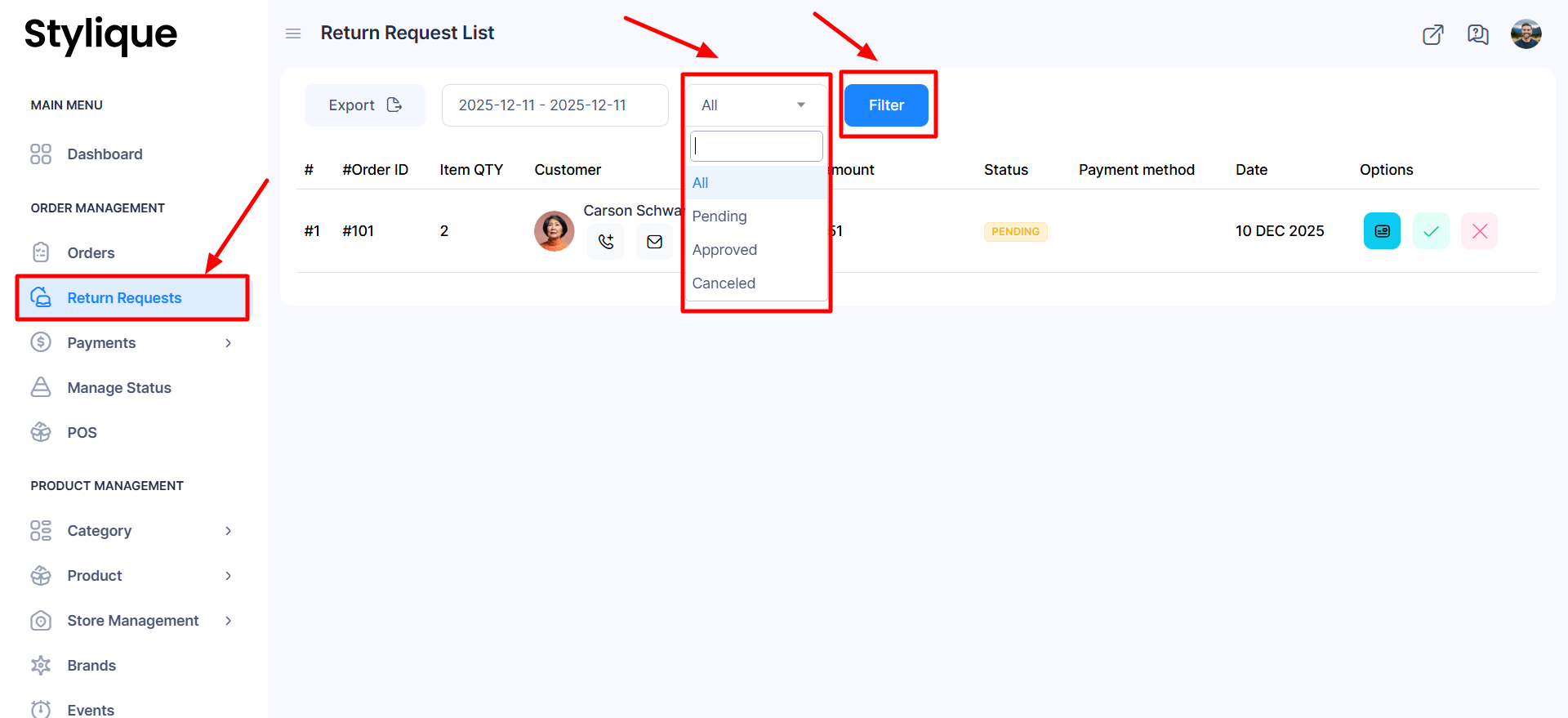
Click the Filter button, and a list will appear according to your selected category.
-
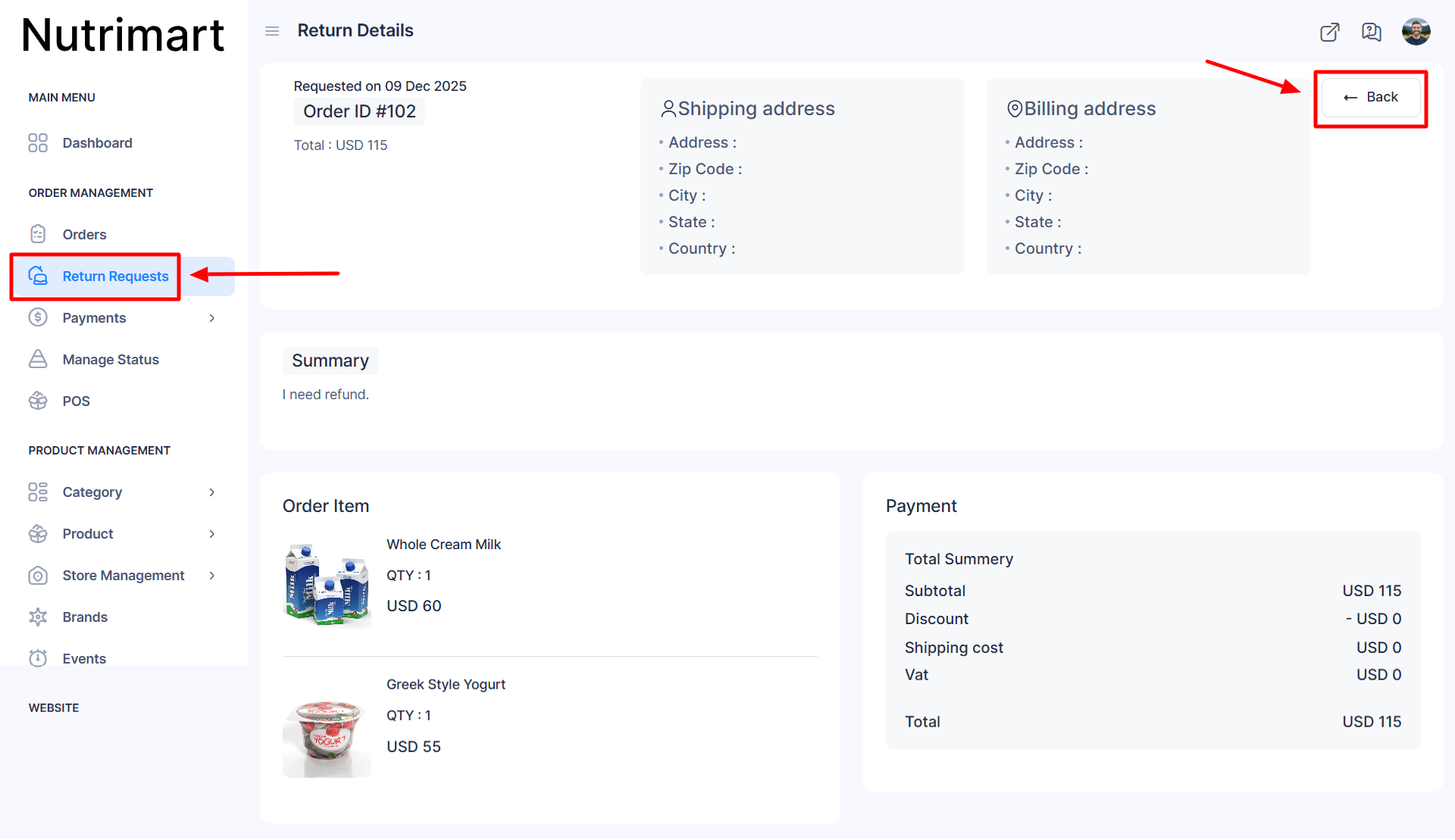
If you click the View Details button from the available options, the details of the selected product order will be displayed.
-
If you click the Back button, you automatically go to the previous page.
-
If you click the Tick Mark, the selected product return request will be approved.
-
If you click the X Mark, the selected product return request will be canceled.